

PPAC
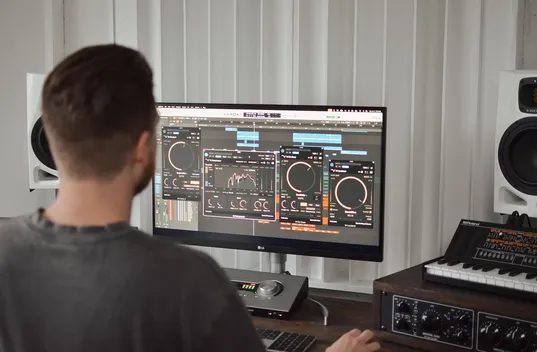
Listen all kinds of ways. Hear a certain channel, remove the bass, precisely match loudness levels or hear the FM radio frequency response.
Named Post-Analog Controller because of it’s position in the end of the signal chain at Stonebridge Mastering, this plug-in delivers simplicity and ease-of-use with fundamental tasks.
How To Work With This Plug-in
This plug-in is mainly designed to work in conjunction with a LUFS meter that shows a loudness history. Used in conjunction with such a meter, loudness matching is made a bit easier. The ear is still vital, but working this way can serve as a compass for consistent and efficient loudness matching.
When gain is controlled with rotating knobs or the short faders found in most DAWs, it is difficult to make the tiny adjustments necessary for critical loudness matching. It’s much easier with the long fader control on Gebre Waddell’s Precision Post-Analog Controller along with the ability to hold down the SHIFT key to make extremely fine adjustments.
As noted in Complete Audio Mastering: Practical Techniques, loudness matching is essential for the accurate comparisons necessary for creating true improvements in mastering. Loudness matching is also an important task in mastering when the recordings of an album are being set to a similar and flowing loudness.
You might find it best to put the LUFS meter on your master bus and put PPACs on your objects or tracks that contain masters.
Loudness matching seems to work best for most album mastering purposes by using:
- An LUFS meter that displays a loudness history (a graph that shows recent levels, not just a number)
- Setting the LUFS meter loudness history to display short-term, instead of the integrated or momentary options possible with LUFS

These are a few of the current LUFS metering options available today:
Free option (no short-term loudness history, integrated loudness history only, must adjust sliders in setup tab to visualize appropriate ranges):
http://www.klangfreund.com/lufsmeter/
iZotope Insight (includes loudness history):
http://www.izotope.com/products/audio/insight/
Built into Sequoia (includes loudness history):
http://www.innovativemusic.com.au/samplitude_sequoia_whatsnew.html
Toneboosters EBU Loudness (includes loudness history):
http://www.toneboosters.com/tb-ebuloudness/
Waves (no loudness history):
http://www.waves.com/content.aspx?id=11884
Steinberg SLM 128 (no loudness history):
http://www.steinberg.net/en/support/unsupported_products/slm_128.html
Accurate Gain and Balance Faders
Sometimes the smallest things make all the difference. This plug-in features long faders that allow for accurate gain and balance adjustments. Hold down SHIFT while dragging to make fine adjustments.
Gain Memory
This is the ultimate tool for making loudness comparisons. Set several gain levels and recall them with ease.
Listening Options
Listen to a recording in seven ways:
- Mid Channel
- Side Channel (adjusted so that the side channel level will sound as loud as the mid channel level)
- Listen to the left channel in both speakers
- Listen to the right channel in both speakers
- Swap the left and right channels
- Hear how the FM radio frequency curve will affect your recording
- Listen with a high pass filter engaged
PRICE: FREE
DOWNLOAD
Recent Comments